Application
One archive with the application plus the install and uninstall scripts — and at the same time the complete source code. Install as described above.
DownloadCrosswalk backs up your home directory to a network share in real time — as completely ordinary files, with older versions and a trash for deleted items. And when it matters, anyone in the family can restore their files without help.
How it works
An assistant asks for the destination on the NAS and which folders and application data should come along.
Crosswalk counts, compares and transfers everything once. Progress is shown in bytes and files.
From then on, every change lands on the NAS within seconds. The tray icon shows whether everything is up to date.
Features
Built for the family: anyone who wants their file back should find it — without having to touch the NAS.
Crosswalk watches your home directory and transfers every change from the laptop to the NAS. Never the other way round.
Same folders, same names, no custom format. Even without Crosswalk nothing is lost — you open the share and take what you need.
Before every change, Crosswalk keeps the previous version. Deleted files land in a trash on the NAS instead of vanishing into nothing.
A folder tree of everything backed up, with search and version selection. Files always go back to their original location.
Desktop settings, custom launchers, Signal or Thunderbird can come along if you want — throttled, so the network stays free.
Green means up to date, yellow means “a file needs you”, red means error. Problem files do not hold back the rest.
German, English, French and Spanish — the interface speaks four languages. Switch in the settings, effective on the next start.
Motivation
The regular backup runs at night. The painful part is the work created since the last run: that is exactly what is lost when the disk dies in the afternoon.
Crosswalk was built to squeeze that gap — the recovery point objective — from hours down to minutes. Not as a replacement for backups, but as a complement that keeps writing along: changes are detected immediately and saved after a short settle delay.
The second requirement came from the family: a backup is only worth as much as its restore. So restoring had to become simple enough that anyone in the household can do it unaided — including earlier versions and deleted files.
Screenshots
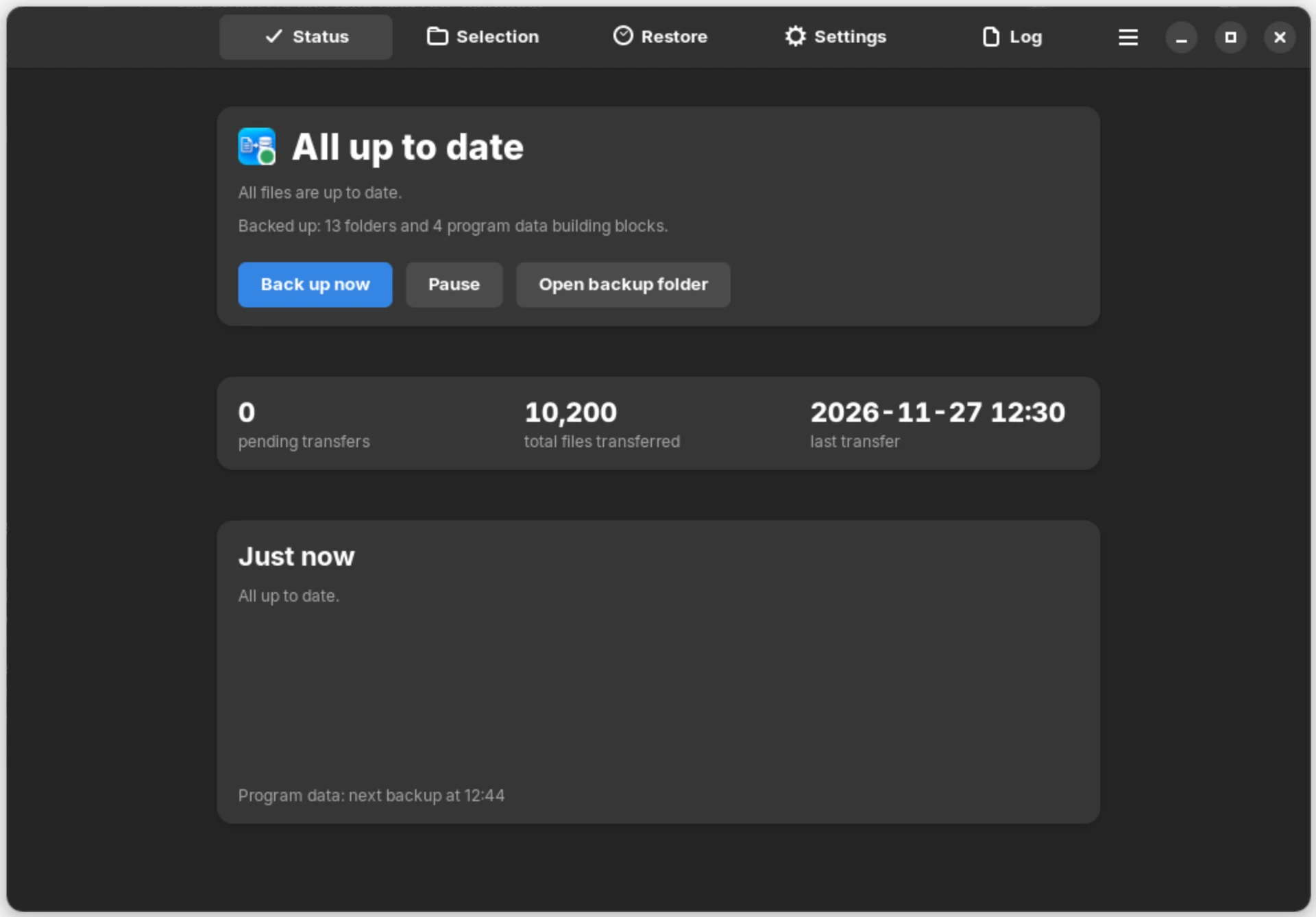
Five tabs, no more needed: Status, Selection, Restore, Settings and Log.
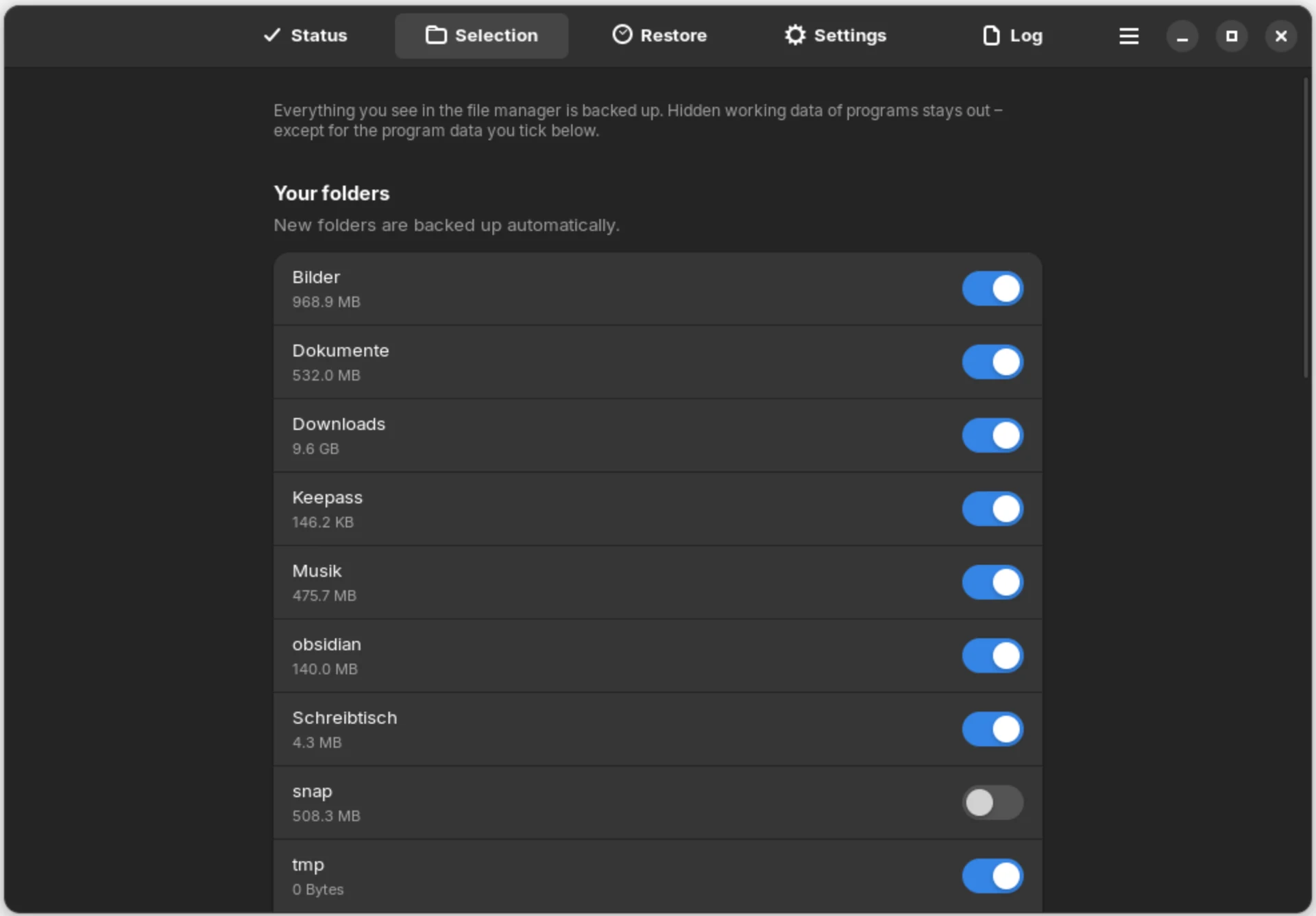
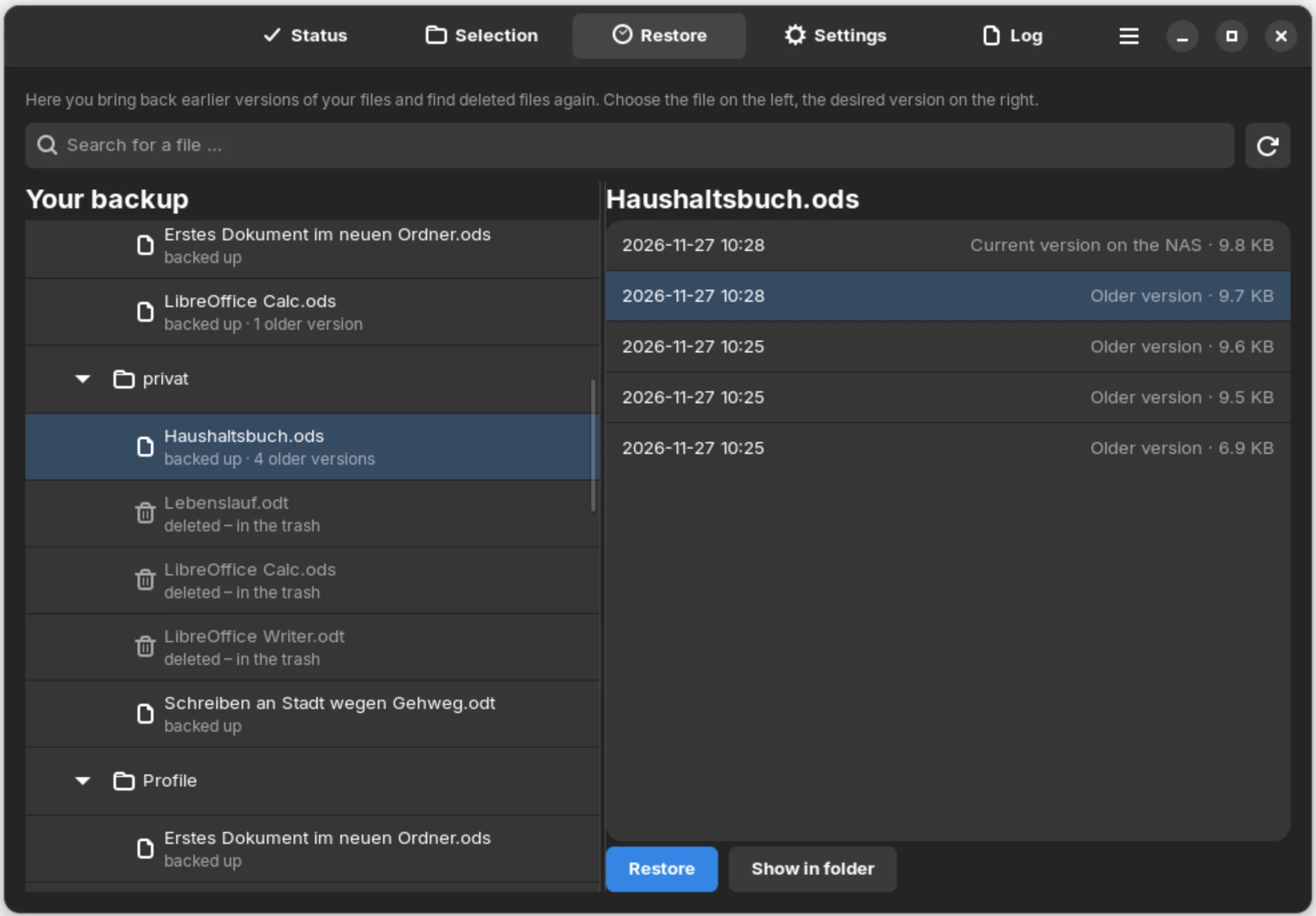
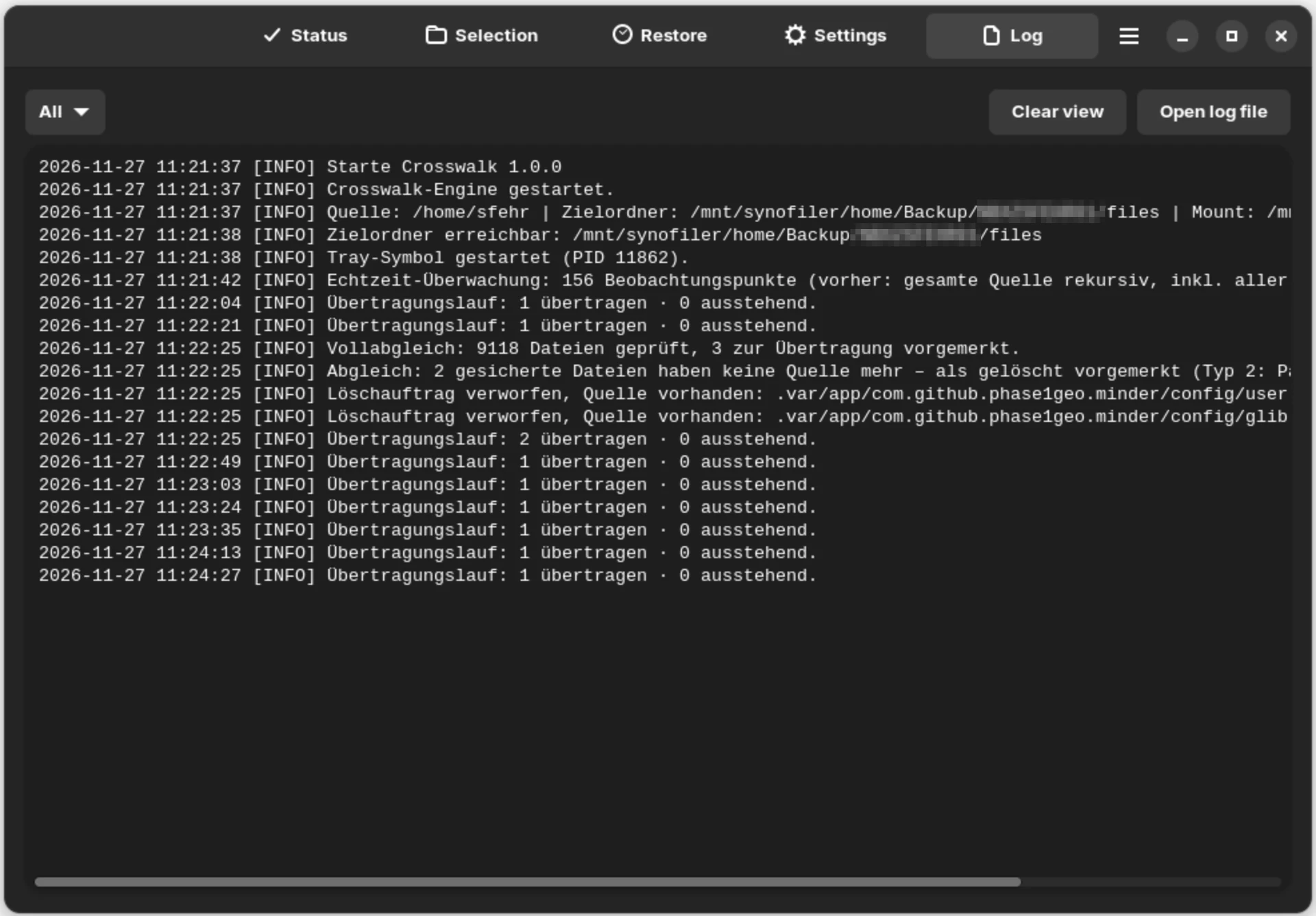
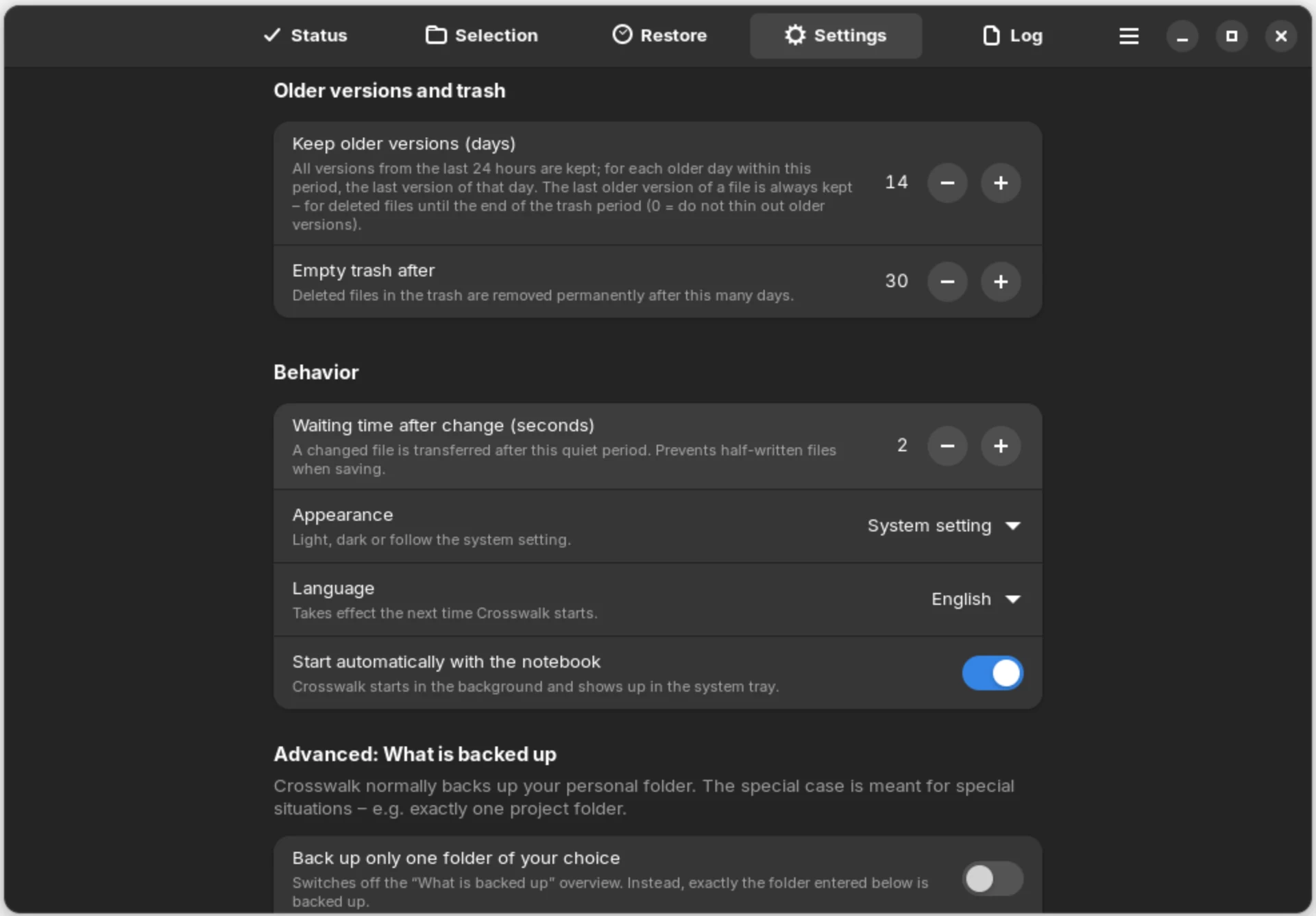
Real screenshots (Zorin OS, dark appearance) — click to enlarge.
Click tour
Instead of a video: a guided tour straight through the real interface — with the keyboard (arrow keys) or by mouse.
Step 1 of 7
One card says it all: everything up to date, or a backup in progress – then with progress, data volume and speed. Below it the three actions — “Back up now”, “Pause” and “Open backup folder”.
Honestly delimited
What version 1.0 cannot do yet, or where you should look more closely.
All known limitations are listed in the guide in the repository (German).
Installation
One archive, one script. The script installs any missing system packages itself.
A package for the Zorin Store is being considered for later.
On the release page, under “Assets”, download Source code (tar.gz). The file is called crosswalk-1.0.2.tar.gz and ends up in “Downloads”.
Open a terminal in the “Downloads” folder (right-click → “Open in Terminal”) and enter:
tar -xzf crosswalk-1.0.2.tar.gz
cd crosswalk-1.0.2
bash install.sh
Start Crosswalk from the applications menu. An assistant asks for the backup folder on the NAS and then what to include. From the next login on, Crosswalk starts by itself; you can switch that off in the settings.
Updating: download, unpack and run bash install.sh the same way. A running instance is stopped in the process; settings, history and backup stay.
Removing: run bash uninstall.sh in the unpacked folder. Settings and logs are kept for a later reinstall; the backup on the NAS stays untouched anyway.
Download
The archive ships via GitHub Releases, together with the date and version history.
One archive with the application plus the install and uninstall scripts — and at the same time the complete source code. Install as described above.
DownloadCrosswalk is free software under GPL-3.0 or later: browse the repository, contribute, or build it yourself.
Open GitHubChangelog
No dates. New features land one at a time so each can be tested thoroughly. The full changelog lives in the repository on GitHub.